

 Zyntra OS
 Zyntra Legal
 Zyntra Real Estate
 Zyntra Hotel
 Zyntra E-commerce
 Zyntra Appointments
 Zyntra Repair
 Zyntra Garage
 Zyntra Concierge
 Zyntra Contracting
 Zyntra Clinic
 Zyntra Call Center
 Zyntra OTA
Where
Accounting › SettingsWho
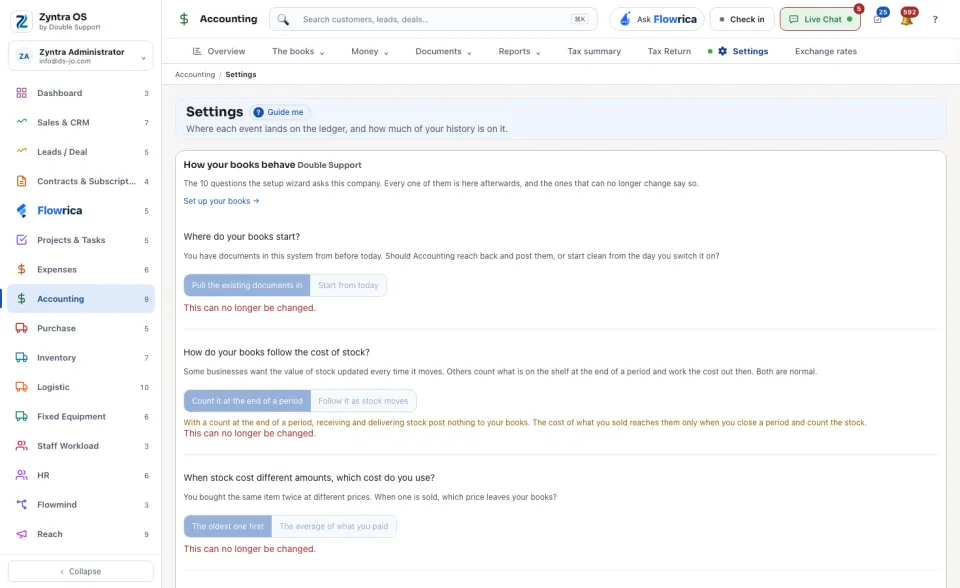
People whose role may see the accounting settings.The screen is one long page. From top to bottom:
| Part | What it holds |
|---|---|
| How your books behave | The ten questions the set-up asks a company, each with its answers as buttons: where the books start, how the cost of stock is followed, which exchange rate is used, where rounding is done, when a cheque reaches the books, how a discount shows, and more. Under every question a line says whether it can still be changed. While a company has unanswered questions nothing is posted for it: press the link to continue setting up. See Set up a company's books. |
| Your history | How many documents are not on the ledger yet, per Module: Documents, On the ledger, Not sent and State. Check before posting tries the posting without writing it and lists any difference. Post them now posts the recorded events that are waiting. |
| Where each event lands | Every event the system posts, in groups, with the accounts it debits and credits. Press Edit on a row to change its accounts. Below it: the account each Payment mode names and the accounts each Tax rate names On sales, On purchases and On expenses. |
| How each company costs its inventory | Each Company with its Method, perpetual or periodic, and What a purchase invoice will post. Press Choose the method while nothing has posted yet. |
| What each expense category debits | Each Category with the account it debits. A category that names none falls to General expenses, and the screen counts them. |
| How the books post | Values for every company, or for one: press Change company to give one company its own. The switch An issued invoice may be changed before a payment is recorded is here. Press Save. |
| Banking rules | Rules that read each statement line as it comes in and suggest what it is. + Rule adds one; Show archived rules brings back the ones put away. |
| Financial year | The first month of the company's financial year. |
| Income statement modifications | Your own lines on the income statement, each worked out from accounts. A switch puts them on the company's income statement; Add a line adds one. |
| Account types | The types the company's accounts are sorted under: each Type with its Class, its Cash-flow section and its Detail types. |
The last four parts belong to one company: choose one company in the company switcher of the top bar to see and set them. When you work in one company only, they are always shown.