

 Zyntra OS
 Zyntra Legal
 Zyntra Real Estate
 Zyntra Hotel
 Zyntra E-commerce
 Zyntra Appointments
 Zyntra Repair
 Zyntra Garage
 Zyntra Concierge
 Zyntra Contracting
 Zyntra Clinic
 Zyntra Call Center
 Zyntra OTA
Where
Staff Workload › Performance ReviewWho
Anyone allowed to see staff performance.1
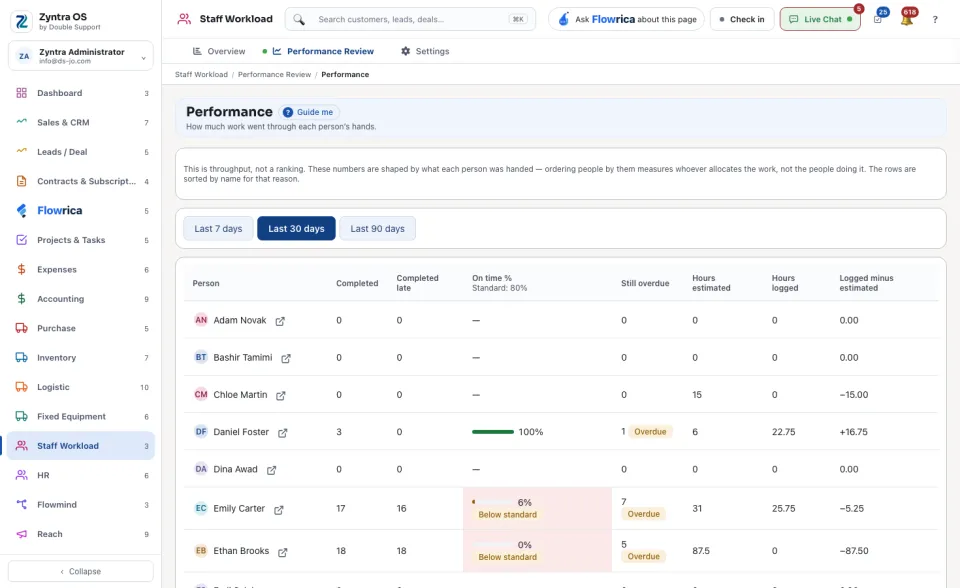
Choose the period: Last 7 days, Last 30 days or Last 90 days.
2
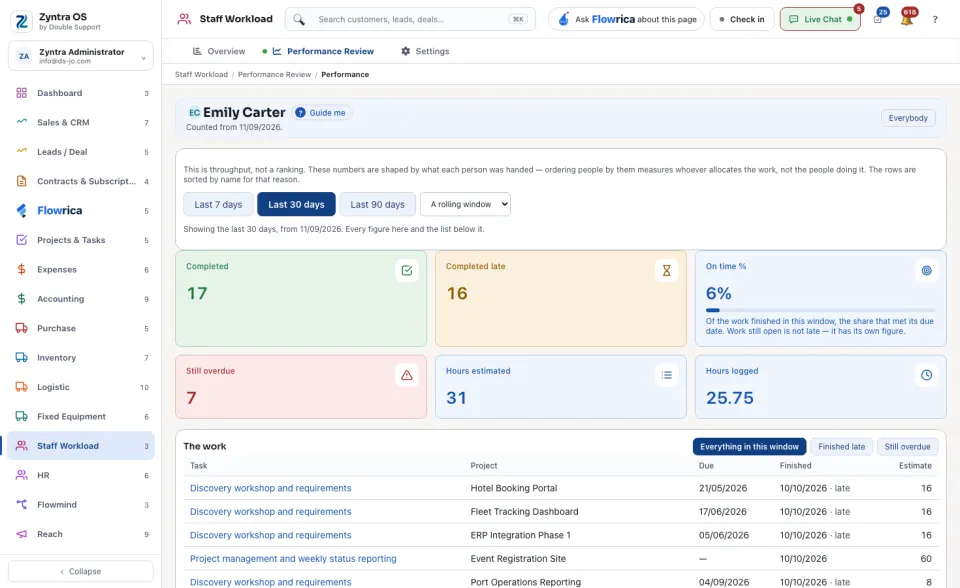
Read one row per person. Press a person's name to open their own page: the same figures for that person, and The work behind them, as Everything in this window, Finished late or Still overdue. Everybody goes back to the list.
| Column | What it means |
|---|---|
| Completed | The tasks the person finished in the period. |
| Completed late | The tasks finished after their due date. |
| On time % | The share finished on time. No standard set means no target was chosen in the workload settings. |
| Still overdue | The tasks still open after their due date. |
| Hours estimated | The estimated hours of those tasks. |
| Hours logged | The hours the person logged on them. |
| Logged minus estimated | The difference: above zero, the work took longer than planned. |
You can ask Flowrica from this screen, for example “Who can cover this person next week?”.