Zyntra OS
 Zyntra Legal
 Zyntra Real Estate
 Zyntra Hotel
 Zyntra E-commerce
 Zyntra Appointments
 Zyntra Repair
 Zyntra Garage
 Zyntra Concierge
 Zyntra Contracting
 Zyntra Clinic
 Zyntra Call Center
 Zyntra OTA
Where
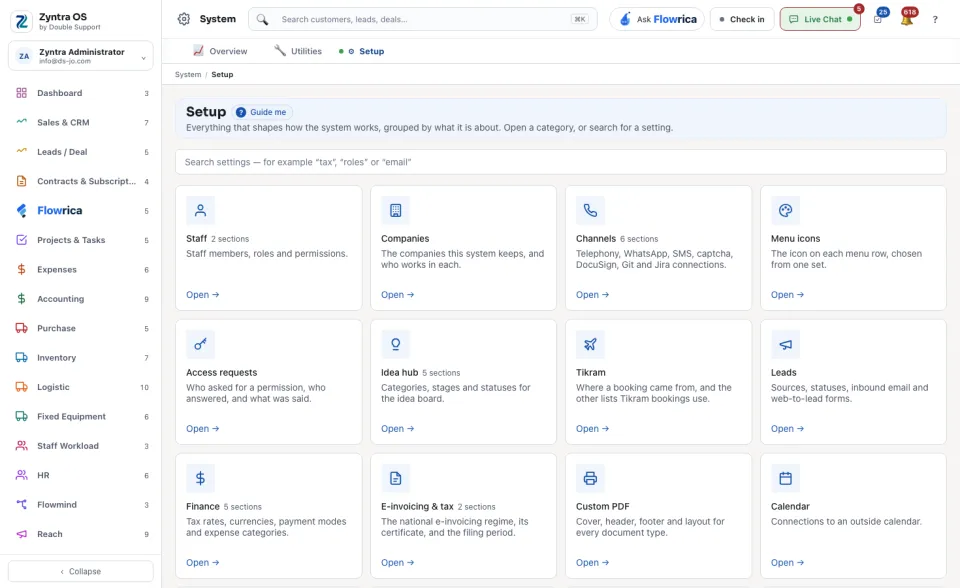
System › SetupWho
Anyone allowed to see this screen. You see only the categories you may open.1
Find the category. Each one has a name, one line about what it holds, and how many sections are inside, for example Staff, Companies, Channels, Leads or Finance.
2
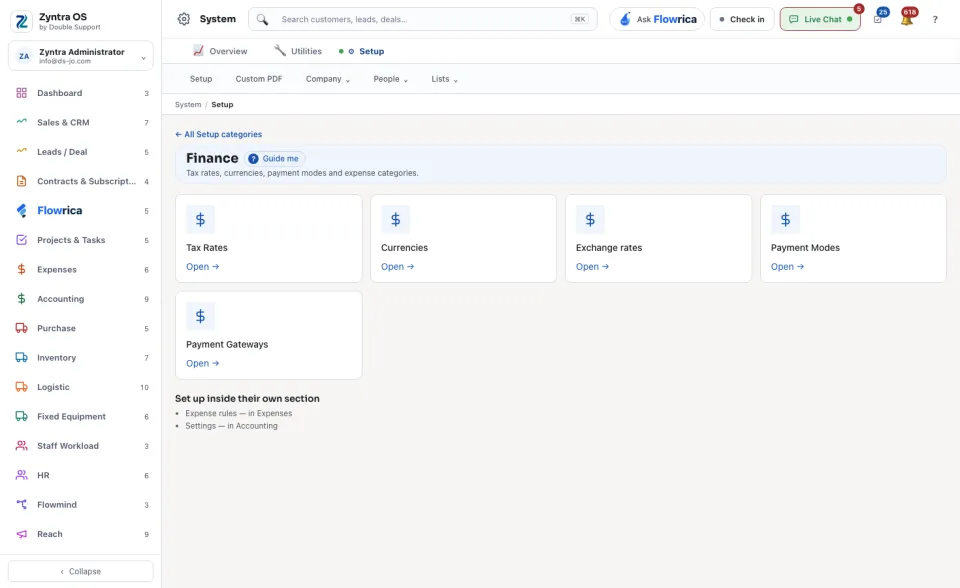
Press Open → on it. A category with several sections opens its own page of sections; a category with one opens that screen at once.
3
Or type a word in the search box at the top, for example tax, roles or email, and open the result.
The bar under the top of the screen holds the same places in short: Setup, Custom PDF, Company, People and Lists.