

 Zyntra OS
 Zyntra Legal
 Zyntra Real Estate
 Zyntra Hotel
 Zyntra E-commerce
 Zyntra Appointments
 Zyntra Repair
 Zyntra Garage
 Zyntra Concierge
 Zyntra Contracting
 Zyntra Clinic
 Zyntra Dental
 Zyntra School
 Zyntra University
 Zyntra Social
 Zyntra Call Center
 Zyntra OTA

Where
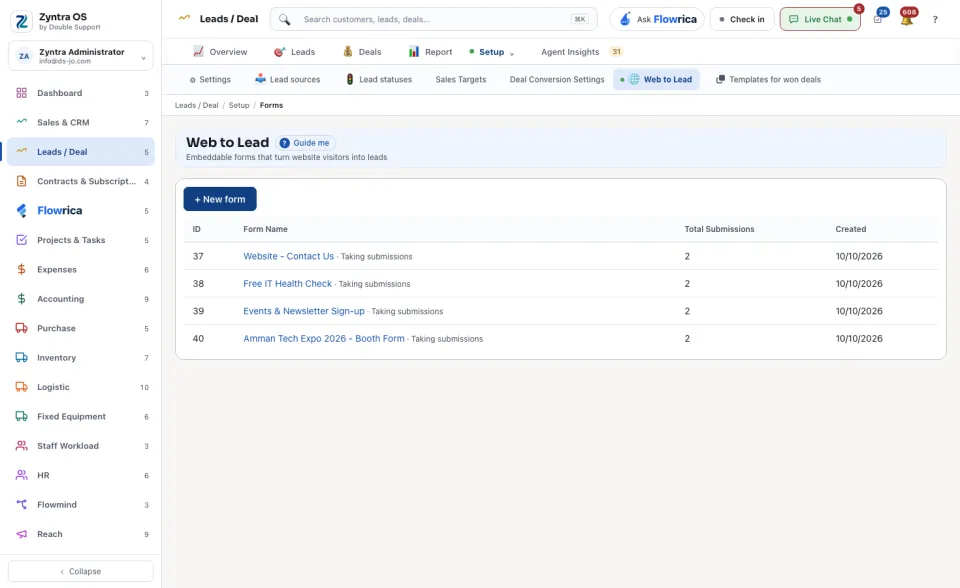
Sales & CRM › Setup › Estimate request forms · Leads / Deal › Setup › Web to LeadWho
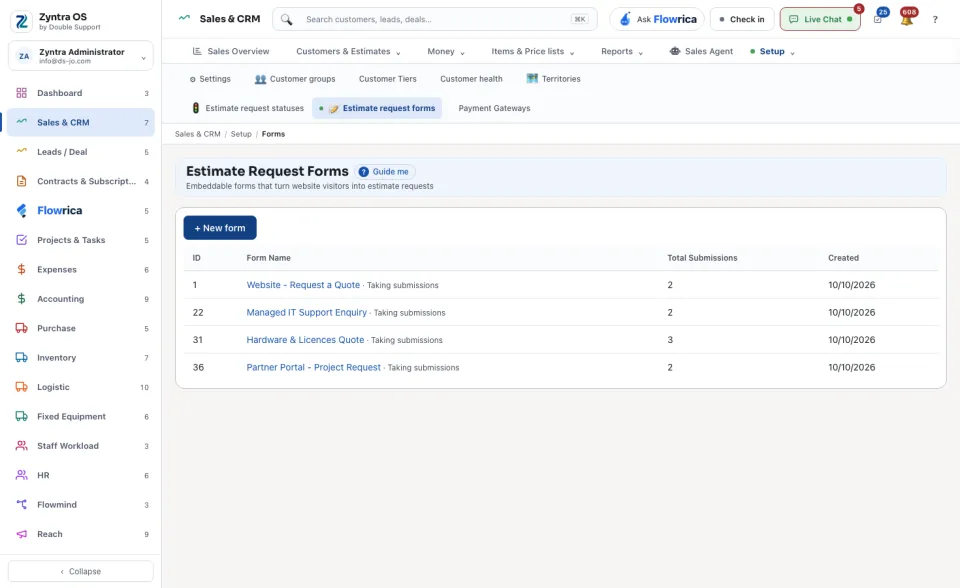
Anyone allowed to see this screen.Press + New form, name it and press Save and build. Add its fields, copy its embed code into your website, and see what it receives. A form is Taking submissions or Paused. Until you make one the screen says No forms yet.
What a form receives arrives as an estimate request or as a lead.
What Flowrica does here
She can build the form with you, one question at a time (Build a request form); nothing is saved until you press the form's own button.
Describe the form to Flowrica
Press Ask Flowrica, then Describe a request form to Flowrica. Describe the form and what it asks in one sentence and press Study it. She goes Describe › Questions › Review: one sentence gives the form its name and a field for each thing asked, and a count becomes a Number field. A request form has no date or choice field, so she says those are asked as text: A request form has no date or choice field, so … is asked as text.
Rename any field by typing over it, or remove it.
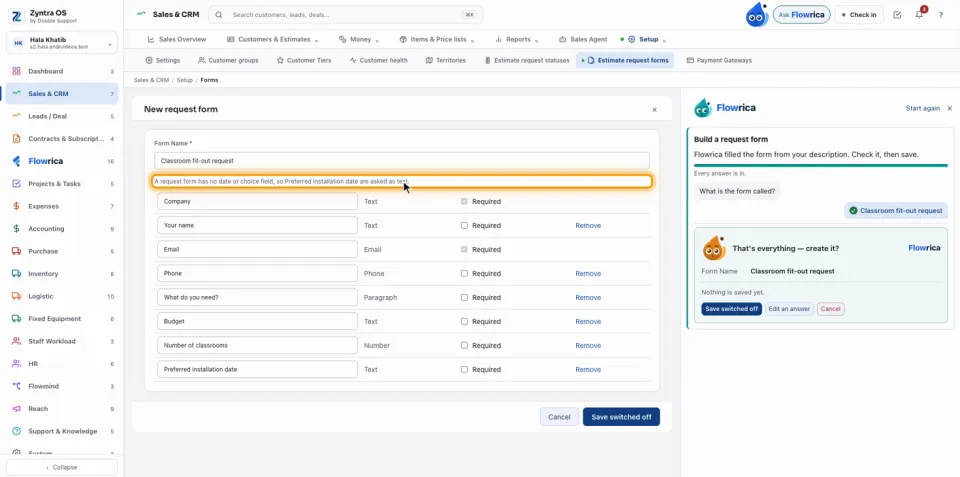
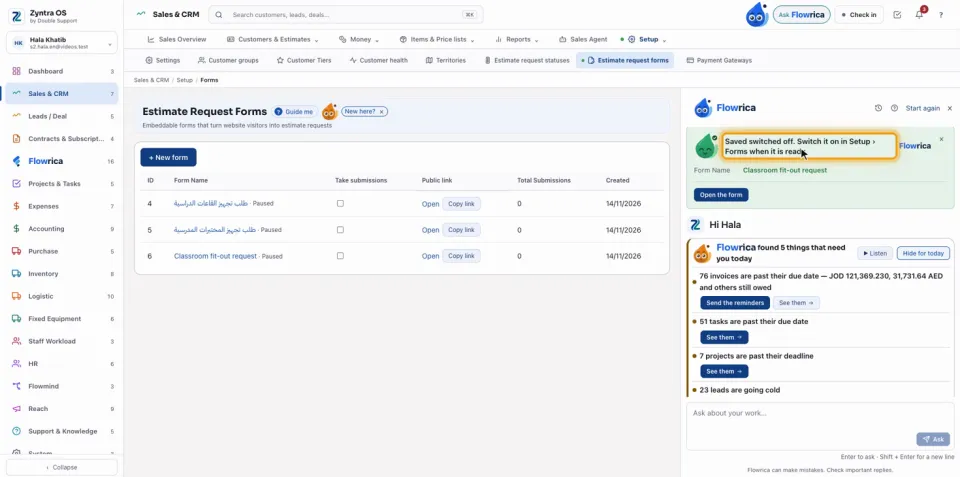
Press Save switched off. Her done line says Saved switched off. Switch it on in Setup › Forms when it is ready.
On the list the form's Take submissions box stays off: it takes no requests until you switch it on there.
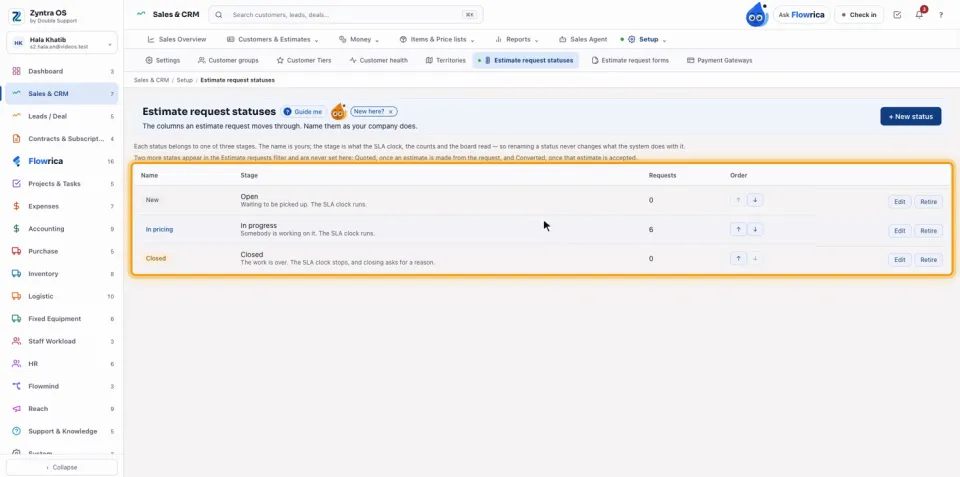
The statuses a request moves through are set under Estimate request statuses: New, In pricing and Closed, and your own with + New status. Each row has Edit and Retire, and arrows to change the order. Each status belongs to one of three stages; renaming a status never changes what the system does with it.
Questions
Where is “Web forms” in Zyntra OS?
Sales & CRM › Setup › Estimate request forms · Leads / Deal › Setup › Web to Lead
Who can use “Web forms”?
Anyone allowed to see this screen.